Operating CW
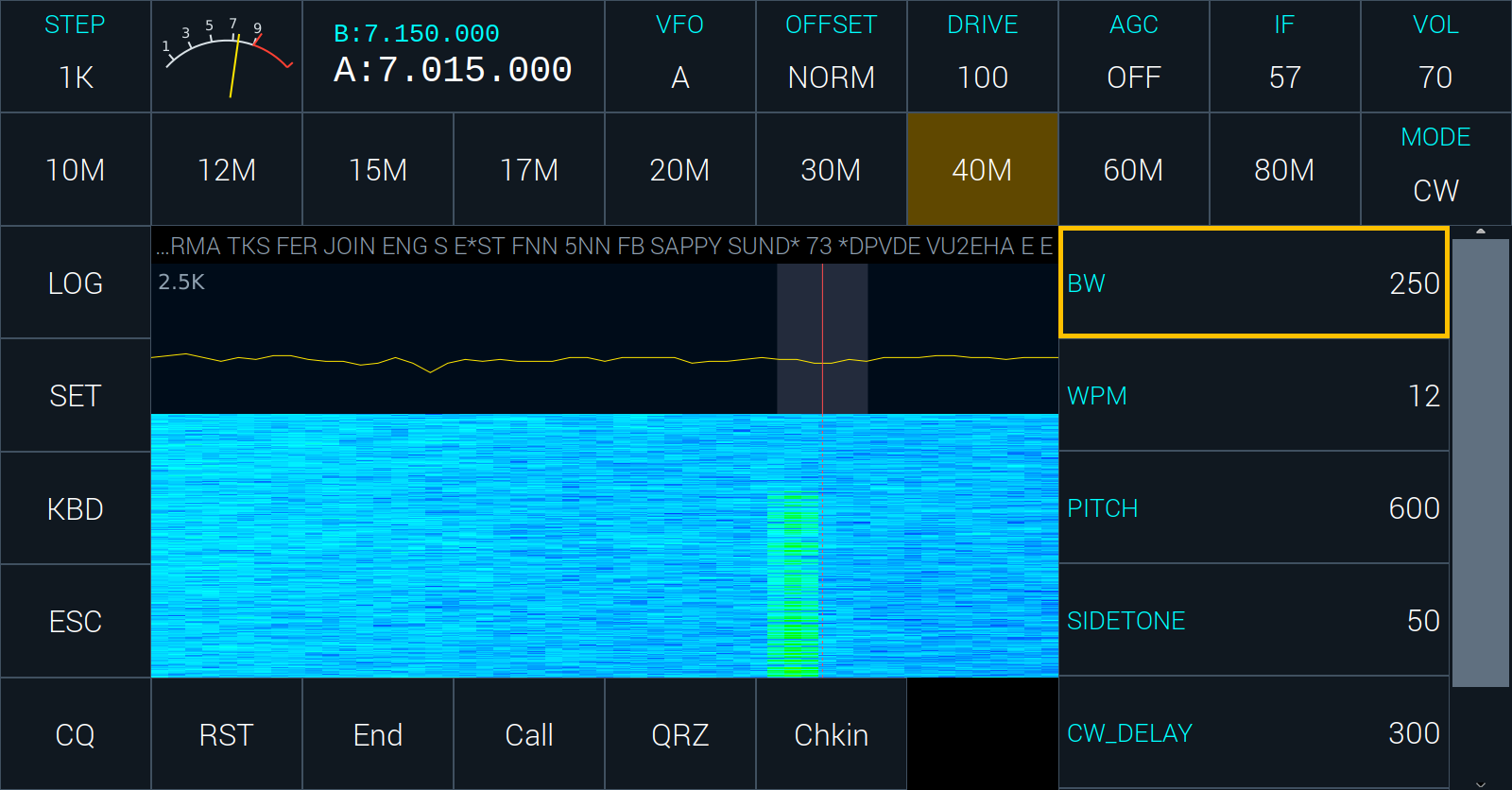
CWR is CW received on the other side of the signal, to step away from interference.
The list has:
- BW, the width of the passband, centred on PITCH;
- WPM, the keyer’s speed, 5 to 50 words a minute;
- PITCH, the tone you hear a signal at, and your sidetone;
- SIDETONE, how loud the sidetone is while you send;
- CW_DELAY, how long the radio stays in transmit after your last element, before it goes back to receive;
- CW_INPUT, what is plugged into the key jack: STRAIGHT, IAMBIC (iambic A), IAMBICB (iambic B), BUG, or ULTIMATIC.
Keying. Plug a straight key or a paddle into the key jack and set CW_INPUT to match. The radio goes into transmit as you key, and back to receive CW_DELAY after you stop. You do not touch TX in CW.
What the radio copies. CW read off the air is shown on the status line, the newest at the right. Tune the signal onto the shaded passband and the radio reads it. It learns the sender’s speed from what it hears, within a span around WPM, so set WPM near the speed you are listening to.
Macros. The bottom row has the first six macros: CQ, RST, End, Call, QRZ and Chkin with the sample file. Tap one to send it. A touch of the paddle, or a key typed, stops a macro at once. The macros are in the file data/cw.mc on the radio, one to a line:
F1 CQ, cq cq cq de {MYCALL} {MYCALL} {MYCALL} ar k
F2 RST, {CALL} de * ur rst {SENTRST} {SENTRST} kn
The word before the comma is the button’s label. In the text, {MYCALL} (or *) is your callsign, {CALL} (or !) the other station’s from the logbook’s CALL field, {SENTRST} your report, {EXCH} (or #) the exchange, {GRID} your grid.
Typing: KBD. KBD in the left column brings up the keyboard over the lower part of the screen, with a box above the keys for what is to be sent. The column, with ESC, and the CW the radio reads off the air stay in view.
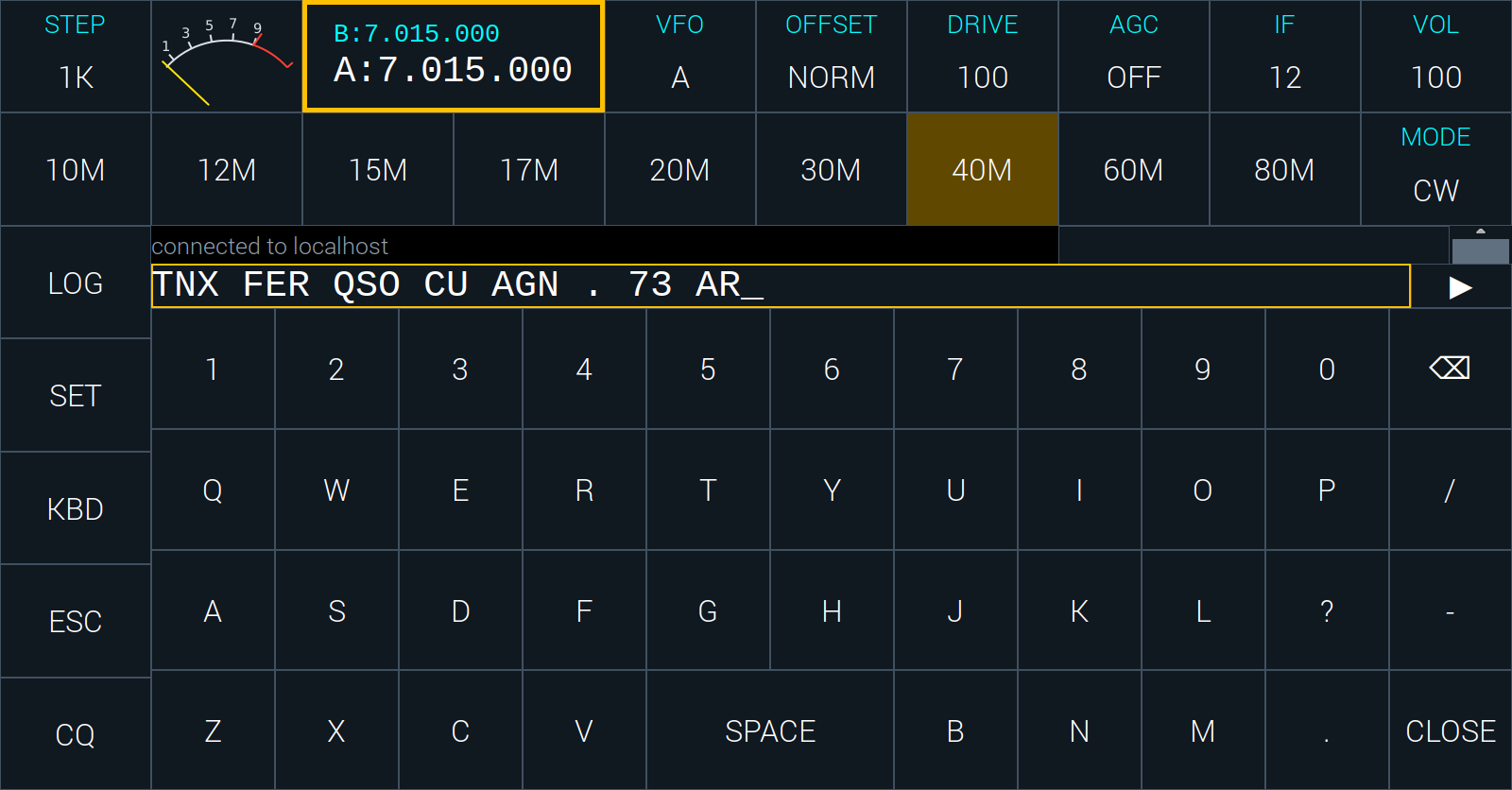
- KBD opens paused. What you type waits in the box, so you can make a message up while you listen to the band. The rub-out key, or Backspace on a keyboard plugged into the radio, takes back the last letter.
- ▶ (PLAY), at the right of the box, starts sending. Each letter leaves the box as the radio sends it, and what you type while it plays is sent as you type it. The button becomes ❚❚ (PAUSE).
- PAUSE stops sending after the letter under way. What was not sent stays in the box for the next PLAY.
- ESC in the column stops sending at once, empties the box and pauses.
- CLOSE puts the keyboard away.
A keyboard plugged into the radio types into the box while KBD is up, and sends straight away, as you type, while it is not.