Operating FT8
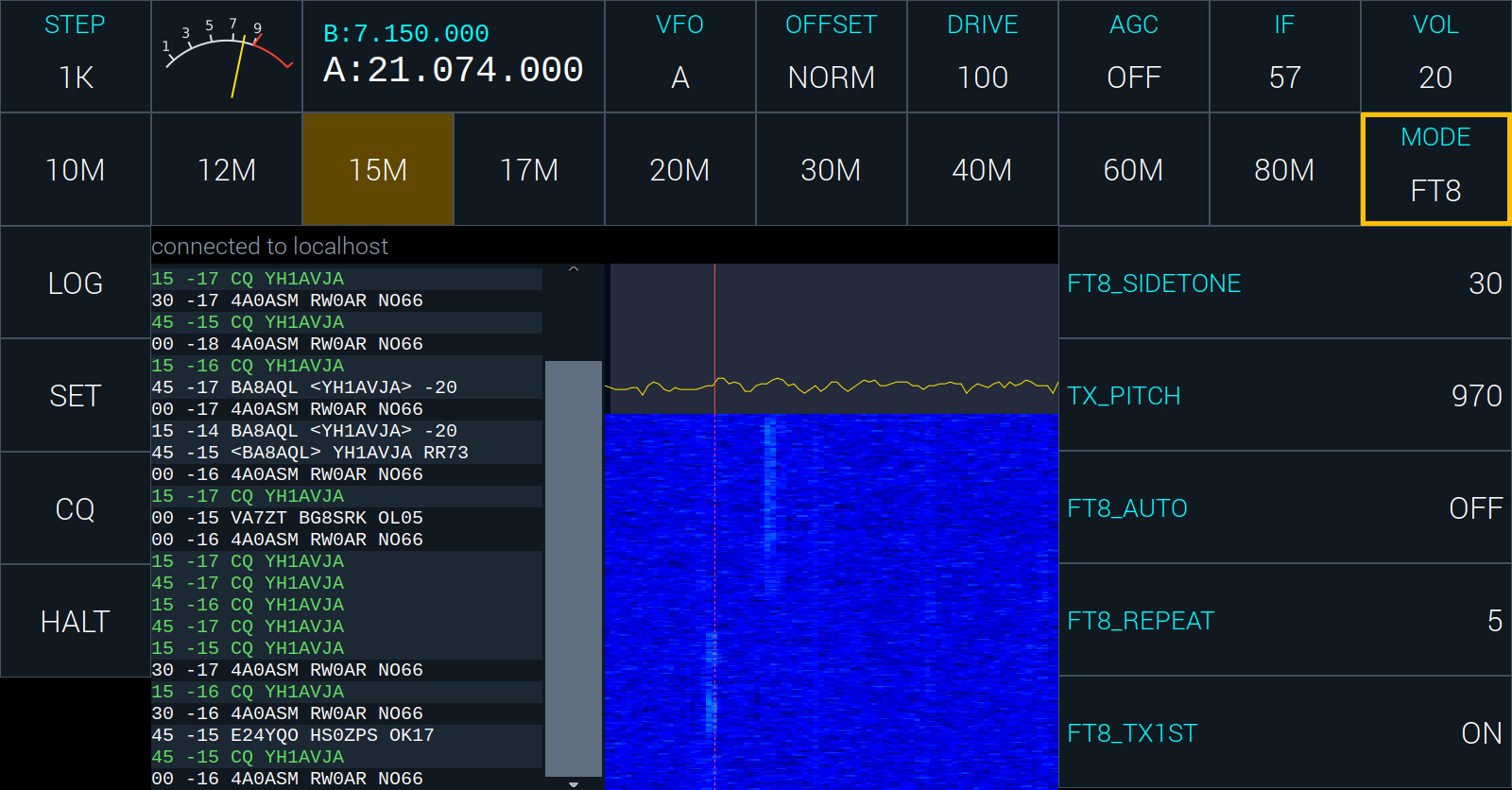
In FT8 the spectrum and waterfall give way to the list of messages the radio has copied, newest at the bottom: the second each was sent at, its strength, and its text. Beside it is the graph and waterfall of FT8’s part of the band, with a red line where your own signal will go.
- A station calling CQ is in green.
- A message with your callsign in it is in yellow, so an answer stands out.
- What your radio sent is in red.
Answering a station. Tap its message to mark it; the list then holds still. Tap it again, or press the knob, to answer. The radio then carries the contact through by itself, and logs it at the end. A mark you leave alone for thirty seconds is taken off.
Calling CQ. Tap CQ in the left column. HALT stops whatever is being sent and ends the contact without logging it.
Where you transmit. Tap a clear place in the graph to move your pitch there, or set TX_PITCH.
The list has:
- FT8_SIDETONE, how loud your own transmission is in the speaker;
- TX_PITCH, where in the passband you transmit;
- FT8_AUTO: ON answers a station that calls you by itself while no contact is under way. It starts OFF, so the radio never transmits on its own until you say it may;
- FT8_REPEAT, how many times a message is sent unanswered before the contact is given up;
- FT8_TX1ST, which slots your CQ goes in: ON for :00 and :30, OFF for :15 and :45.
How you work FT8 is set in SET: FT8_OPS is NORMAL, RUNNING (CQ again and again, and again after each contact) or POUNCING (you only answer the CQs you mark), and FT8_REPLY is what you send at the end, RR73 or RRR.
The radio needs MYCALLSIGN set, and the right time, for FT8. Its clock is set from the network, or from SET on the panel.